

On-page SEO best practices improve Google rankings by optimising page content, structure, and usability so search engines can clearly understand relevance. This includes matching search intent, using clear headings, optimising titles and metadata, placing keywords naturally, strengthening internal links, and ensuring fast, mobile-friendly pages.
Improving visibility in Google search results starts with getting the fundamentals right, and that’s where on-page SEO best practices play a critical role. On-page SEO focuses on optimising individual web pages so search engines can understand their purpose, relevance, and value to users.
From content quality and keyword usage to page structure and user experience, on-page optimisation directly influences how your pages rank and perform, but if these fundamentals aren’t in place, how can your content compete for higher Google rankings?
What “On-Page SEO Best Practices” Actually Mean
On-page SEO refers to the practice of optimising elements within a webpage to improve its visibility in search engines. This includes content, headings, internal links, images, URLs, and HTML elements such as title tags and meta descriptions.
If you’re asking what is on-page SEO, the simplest answer is this: it’s everything you control on a page to help search engines understand what the page is about and determine whether it deserves to rank for a specific query.
On-page SEO focuses on what happens on your website, while off-page SEO relates to external signals such as backlinks and brand mentions. Both are important, but on-page optimisation is where rankings are built, without it, even strong backlinks won’t perform as effectively.
Why On-Page SEO Still Impacts Higher Google Rankings
Search engines aim to deliver the most relevant and helpful result for every query. Strong on-page SEO best practices help Google:
- Understand page topic and context
- Match content to search intent
- Evaluate content quality and structure
- Assess usability and accessibility
Because on-page SEO directly influences how a page is interpreted, it remains one of the strongest levers for improving rankings.
Start With Search Intent
Before optimising anything, you need to understand why someone is searching.
Is the intent:
- Informational (learning something)?
- Navigational (finding a page or brand)?
- Commercial (comparing options)?
- Transactional (ready to take action)?
Effective on page seo optimisation starts by aligning content with the dominant intent behind the keyword. A mismatch here is one of the most common reasons pages fail to rank.
Keyword Placement Without Keyword Stuffing
Keywords are still essential, but how you use them matters.
Best practice keyword placement includes:
- Page title
- H1 heading
- Introductory paragraph
- URL slug
- Supporting headings and body copy
Use your primary keyword naturally and support it with variations and related phrases such as on page seo, optimising seo, and seo optimization techniques. Avoid forcing keywords into sentences where they don’t belong, relevance and clarity matter more than repetition.
Write Helpful On-Page Content That’s Easy to Scan
Content should be written for users first, not search engines.
To improve readability and engagement:
- Use short paragraphs
- Break content into clear sections
- Add bullet points where appropriate
- Use descriptive subheadings
Well-structured content improves user experience and helps search engines understand how different sections of a page relate to one another.
Optimize Title Tags for Clicks and Relevance
Title tags are one of the most important on-page SEO elements. They tell search engines what a page is about and strongly influence whether users click your result.
Effective title tags:
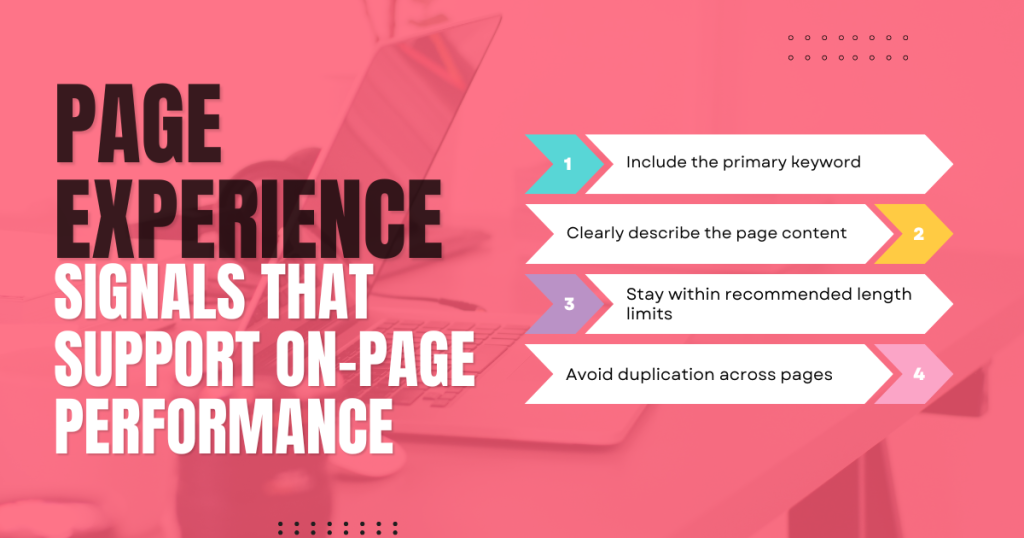
- Include the primary keyword
- Clearly describe the page content
- Stay within recommended length limits
- Avoid duplication across pages
A well-written title balances relevance with click appeal.
Write Meta Descriptions That Support Click-Through Rate
Meta descriptions don’t directly affect rankings, but they do affect click-through rate.
Strong meta descriptions:
- Summarise the page clearly
- Match search intent
- Highlight value or benefit
- Encourage users to click
Even when search engines rewrite descriptions, having a clear, relevant meta description improves consistency and performance.
Use SEO-Friendly URL Structure and Slugs
Clean URLs help both users and search engines.
Best practices include:
- Short, descriptive slugs
- Logical structure
- Avoiding unnecessary parameters
- Including relevant keywords naturally
A clear URL reinforces topical relevance and improves crawlability.
Heading Tags (H1, H2, H3) That Improve Structure and UX
Headings create a hierarchy that makes content easier to read and easier for search engines to interpret.
Best practices:
- Use one H1 per page
- Organise sections with H2s
- Use H3s for supporting points
- Avoid skipping heading levels
Proper heading structure improves accessibility and reinforces topical focus.
Internal Linking Best Practices to Distribute Authority
Internal links help search engines discover content and understand relationships between pages.
Effective internal linking:
- Points to relevant, related pages
- Uses descriptive anchor text
- Helps distribute authority across the site
- Improves crawl paths and user navigation
Internal links are a foundational seo optimization technique that many sites underuse.
Image Alt Text for Accessibility and On-Page SEO
Images enhance content but must be optimised properly.
Alt text should:
- Describe the image accurately
- Support accessibility for screen readers
- Include keywords only when relevant
- Avoid keyword stuffing
Optimised images improve usability and provide additional context for search engines.
Page Experience Signals That Support On-Page Performance
User experience plays an increasing role in SEO.
Key areas to review:
- Mobile responsiveness
- Page speed
- Layout stability
- Ease of interaction
Pages that load quickly and work well on mobile devices are more likely to retain users and perform better in search results.
Content Length and Coverage: How Much Is Enough?
There is no perfect word count for SEO.
Instead, focus on:
- Fully answering the user’s question
- Covering the topic comprehensively
- Avoiding unnecessary filler
Short pages can rank well if they meet intent. Long pages only perform when every section adds value.
On-Page SEO Checklist You Can Apply to Any Page
Before publishing:
- Confirm search intent
- Optimise title and meta description
- Use clear headings
- Include internal links
- Optimise images and alt text
After publishing:
- Monitor performance
- Update content as needed
- Expand sections where users need more clarity
Consistent optimisation over time produces the strongest results
Common On-Page SEO Mistakes That Hold Rankings Back
Avoid these frequent issues:
- Thin or unfocused content
- Poor keyword alignment
- Duplicate metadata
- Weak internal linking
- Ignoring mobile usability
Even small mistakes can limit ranking potential in competitive SERPs.
Build Pages That Earn Their Spot
On-page SEO goes beyond ticking boxes or chasing algorithms. Every heading, link, and paragraph must earn its place or risk weighing the page down. When search engines struggle to grasp a page’s purpose, users feel it too, and they leave. Rankings follow behavior.
Strong pages are built with intent, clarity, and discipline. Solid foundations, sharp messaging, and smooth user experience turn good content into competitive content. In search, shortcuts rarely pay off, and close enough rarely wins. If others are mastering the basics while you hesitate, what reason does Google have to put your page first?